Finding Your Game's Executable
Installation requirements vary by user, platform, and game. As a result, games can be installed in different locations, making it difficult to locate the executable and corresponding game directory. This guide shows you a consistent way to locate a running game's executable using Task Manager and File Explorer.
Open Task Manager
Right-click the Windows taskbar and select Task Manager, or press Ctrl + Shift + Esc.
Find the Game in Task Manager
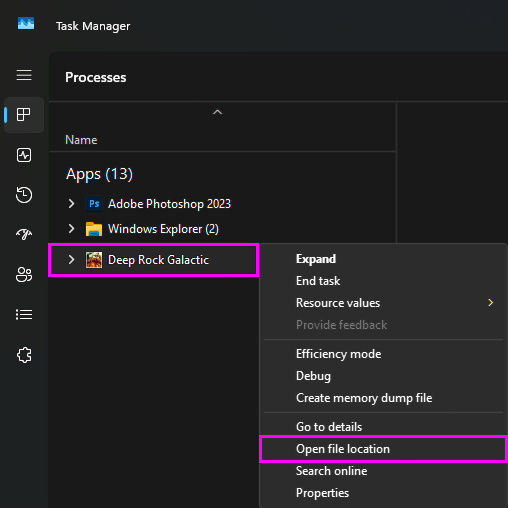
In Task Manager, switch to the Processes tab, locate the running game process, then right-click it and select Open file location.
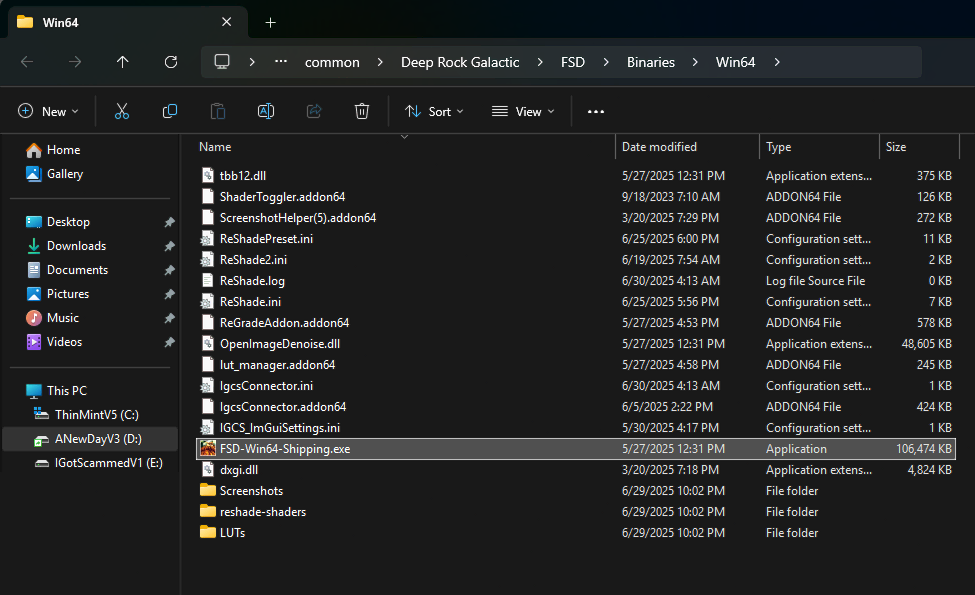
A File Explorer window opens, highlighting the game's executable file in its installation directory. This directory is the location to use when guides refer to the "game folder" or "game directory."